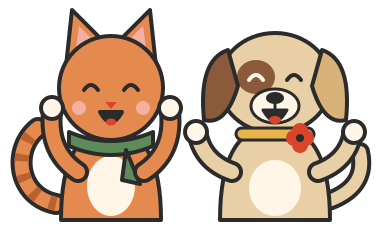
A reward chart that feels like an adventure.
Your child picks an animal explorer. Every mission they finish moves their explorer a step along the trail, past badges and cheering guides, to the reward you chose together.
Works in your phone or tablet's browser. Add it to your home screen and it opens like an app, even offline.


How the trail works
One kind of point, one trail. No coins, no shop, nothing to work out. Your child can see exactly how far they've come.
-
Points become steps
When you award points for a mission, your child's explorer hops along the trail one step at a time.
-
Badges along the way
Every few steps there's a badge to reach, from the hilltop to the river. Pablo and Poppy pop up to cheer.
-
A reward at the top
At the summit is the reward you picked together. Then a fresh adventure starts, with a new reward to look forward to.
Badges on the meadow trail
- HilltopStep 12
- Paw printsStep 24
- Cosy denStep 36
- RiverStep 45
- Wild flowersStep 52
- StarStep 76
- SummitYour reward
Steps shown for the standard 100-step trail. Make the trail shorter or longer and the badges move with it.
Every child picks an explorer
Your child chooses who walks their trail. Brothers and sisters each pick their own, with their own missions and rewards.
 Hedgehog
 Rabbit
 Owl
Owl Badger
 Frog
Frog Sheep
Sheep

Pablo and Poppy are the guides
They cheer at every badge, celebrate at the summit and give the odd hint. They never hand out points: only a grown-up can do that, behind the PIN.
Ready-made missions, or your own
Start with everyday missions and reward ideas, then change the words, the points and the days to suit your family.
Mission ideas
- Brush your teeth
- Get dressed
- Tidy your toys
- Try something new
- Help at home
- Be kind
Reward ideas
- Choose a family film
- Bake something together
- Choose an adventure outing
- Choose our dessert
Rewards are something to look forward to. Love and time together never have to be earned.
The grown-ups' corner
Everything that changes the chart sits behind your own PIN, reached by the Grown-ups button on your child's screen.
-
Award points in a tap
Tap a mission when it's done, or give a bonus for a lovely surprise.
-
Your PIN keeps it fair
Only grown-ups can award points, change missions or choose rewards.
-
Change anything, any time
Edit missions, points, days, rewards and the length of the trail without losing progress.
-
Room for the whole family
Up to eight children, each with their own explorer, trail and rewards.
-
Works offline
Once it has opened online, the trail keeps working without the internet.
-
Kind to children's privacy
All we need is a nickname. No surnames, birthdays or photos, and no adverts.
Add it to your home screen
No app store needed. Open your chart once, then add it so it opens like an app.
iPhone and iPad
- Open your chart in Safari.
- Tap the Share button.
- Choose Add to Home Screen.
Android
- Open your chart in Chrome.
- Tap the menu button.
- Choose Add to Home screen or Install app.
Ready to start the trail?
Set up takes a few minutes: a nickname, an explorer, a few missions and a reward.